How to Audit Your Own Website (Without the Existential Crisis)

Most people find out their website has a problem when someone mentions it offhand. "Oh, I tried to find your contact page and couldn't." Thank you so much for letting me know, but that would have been nice to know three weeks earlier.
A website audit is how you find the problems yourself, before someone else does. It's a structured walkthrough of your site to figure out what's broken, what's invisible to search engines, and what's quietly costing you traffic or leads. You don't need a developer. You don't need an expensive agency. You need a checklist and an afternoon with decent coffee (or tea).
Here's how to do it.
What you're actually looking for in a website audit
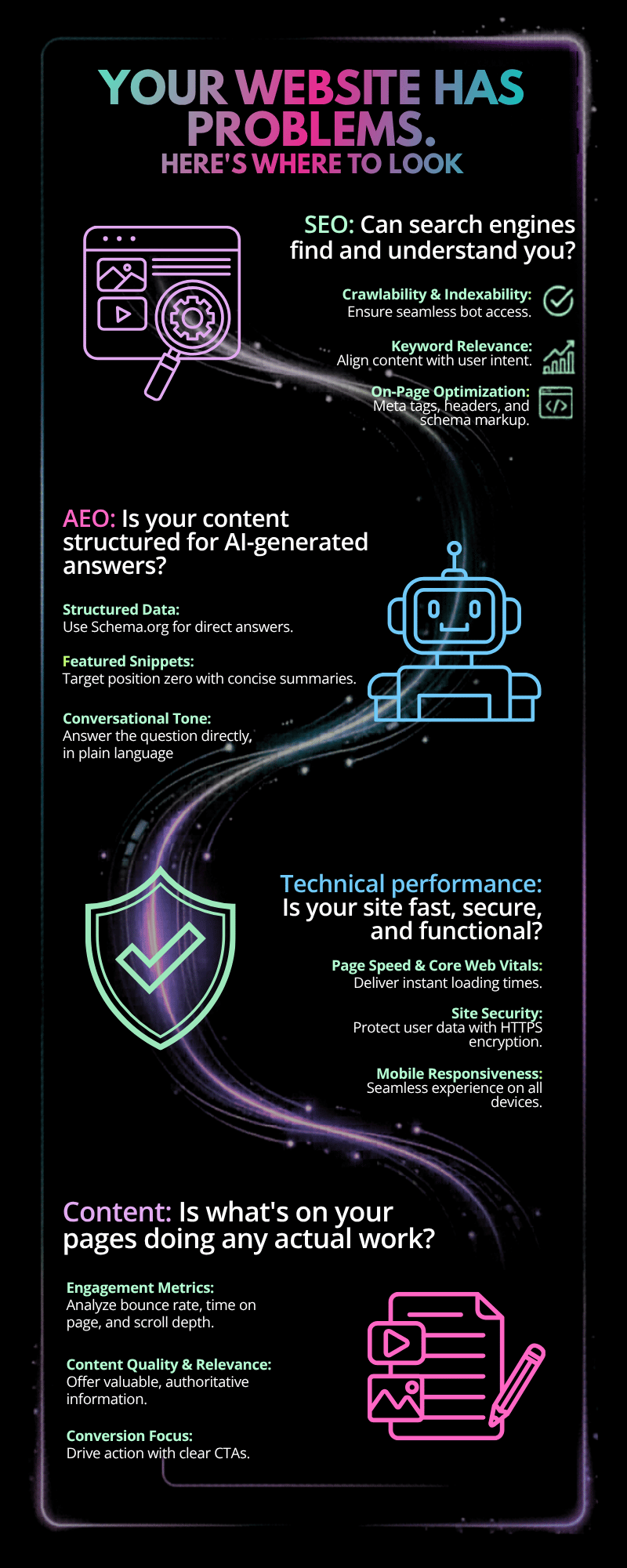
A real website audit covers four areas:
SEO: Can search engines find and understand you?
AEO: Is your content structured for AI-generated answers?
Technical performance: Is your site fast, secure, and functional?
Content: Is what's on your pages doing any actual work?
You don't have to tackle all four in one sitting. Most small business owners are better off starting with SEO and technical basics. They're the foundation everything else builds on, and layering in AEO and content once the fundamentals are solid.
If that list felt like a lot, don’t panic—metaphorical towel at the ready. We’re going section by section.
Step 1: Do the obvious thing first, use Google
Google your own business name. Does your site show up? Does the listing look right—correct title, reasonable description, no weird URL strings? If your own name doesn't surface your site cleanly in search, that's where you start.
Then Google two or three things your ideal client would actually search. Are you on the first page? If not, note what's ranking instead. Those are your benchmarks.
Now pull up your site on your phone. Try to imagine it through the eyes of a first-time visitor on a 6-inch screen, which is how the majority of your traffic arrives.
Does anything look off? Does it load fast enough that you don't feel personally attacked? Does the navigation make sense without a mouse?
Write down what you notice. This is reconnaissance, not a grade.
Step 2: Check your SEO basics
Title tags and meta descriptions
Every page on your site needs a unique title tag, the text that shows up in the browser tab and in Google search results, and a meta description, the snippet below it. On Squarespace, these live under Pages → [your page] → SEO.
If they're empty, Google writes them for you. And Google's version is rarely better than yours.
A solid title tag is specific, includes your main keyword, and stays under 60 characters. A good meta description answers "why should I click this?" in 150 characters or fewer.
Headings
Each page should have exactly one H1. That's your main headline. H2s and H3s organize everything below it. If you have three H1s on the same page, search engines have no idea what the page is actually about, and neither will your readers.
Alt text on images
Every image on your site should have descriptive alt text. This tells search engines what the image shows, helps with accessibility for screen readers, and takes about 10 seconds per image to add. There's no excuse for skipping this one.
Internal links
Are your pages connected to each other? If someone reads a blog post, can they easily get to your services page or a related post? Internal links distribute authority across your site and keep people from hitting a dead end and bouncing.
Step 3: Check the technical basics
Site speed
Run your homepage through Google PageSpeed Insights (free and easy to use). It'll give you a score and tell you specifically what's slowing you down. Images are usually the culprit. Compress them before you upload.
Mobile responsiveness
You already checked this in Step 1, but pay attention to the forms and CTAs specifically. A "Contact Me" button that's impossible to tap on mobile is just a decorative element at that point.
Broken links
Use a free tool like Broken Link Checker to scan for pages that lead nowhere. A 404 error on an internal link is a trust and UX problem, and on a backlink, it's worse.
SSL certificate
Your URL should start with https://, not http://. If it doesn't, Google flags your site as not secure. Some browsers warn visitors before they even get to your homepage, losing you valuable traffic. Most platforms handle this automatically, but it's worth confirming.
Step 4: Check your AEO basics
AEO (Answer Engine Optimization) is how you show up in AI-generated search results from tools like ChatGPT, Perplexity, and Google's AI Overviews. The short version: AI tools pull from content that's clearly structured and directly answers specific questions.
What to look for:
Do your service pages and blog posts answer actual questions, stated as questions? "What's included in a website audit?" is more AEO-friendly than burying the answer in a paragraph with no clear signal.
Do you have FAQ sections? These are one of the highest-leverage AEO moves you can make, and they take 20 minutes to add to an existing page.
Is your content written like you're answering a person, not performing for an algorithm? Clear, direct answers win AI citations. Keyword-stuffed paragraphs don't.
Step 5: Audit your content
This is where most website audits stop being comfortable, because content problems are usually the owner's fault.
Check every page and ask: Does this page have a clear point? Does it tell a visitor what to do next? Is the information still accurate? If you have a services page that lists something you stopped offering in 2023, that's the kind of thing that erodes trust quietly and indefinitely.
Specifically look at:
Your homepage: Is your main offer visible above the fold, or does someone have to scroll to figure out what you do?
Your about page: Is it doing anything to build trust, or is it just a professional biography nobody asked for?
Your CTAs: Are there clear, logical next steps on every page, or do visitors just... end up nowhere?
What to fix first
Not everything is equally urgent. Here's a rough priority order:
Red flags (fix immediately): missing title tags and meta descriptions, no SSL certificate, broken links, a homepage that doesn't clearly state what you do.
Yellow flags (fix this month): missing alt text, no FAQ sections, slow page speed, CTAs that are unclear or missing.
Green flags (optimize when you have time): AEO refinements, internal linking structure, content freshness on older pages.
If you want a structured framework that covers gets you started, check out my free 10-point website audit. Ten yes/no questions, five minutes, tells you where the fire is or how awesome of a job you’re doing.
When to stop DIYing it
A self-audit takes you far. It doesn't take you all the way.
If your Google Search Console is showing pages that aren't indexed and you can't figure out why, that's usually a technical issue worth getting a second set of eyes on. If you've addressed the obvious issues and traffic still isn't moving after three or four months, a professional content audit is probably the next step.
The upside of doing it yourself first: you'll understand your site well enough to have an informed conversation when you bring someone in, and you'll have already fixed the things that are genuinely fixable without help. (That's most of them, by the way.)
Frequently asked questions
How long does a website audit take?
For a small business site with under 20 pages, plan on two to four hours for a first audit. That's doing it properly: checking each page, running a speed test, reviewing your SEO metadata, and actually noting what needs fixing. The goal isn't speed, it's having a prioritized list when you're done.
Do I need any tools to audit my own website?
A few free ones make it significantly easier. Google Search Console shows you what's indexed and what isn't. Google PageSpeed Insights tells you what's slowing your site down. A free broken link checker handles the tedious part of finding dead links. Beyond that, most of the audit is manual. You're looking at your own pages with fresh eyes.
What's the difference between SEO and AEO?
SEO (Search Engine Optimization) is about ranking in traditional search results: Google, Bing, the blue links. AEO (Answer Engine Optimization) is about appearing in AI-generated answers from tools like ChatGPT, Perplexity, and Google's AI Overviews. They overlap significantly, but AEO specifically rewards content that's structured as clear, direct answers to specific questions.
What should I fix first after a website audit?
Start with anything that blocks Google from finding or indexing your pages: missing title tags, no SSL certificate, broken links. Those are your red flags. Once those are handled, move to content and conversion issues: unclear CTAs, outdated information, pages that don't have an obvious next step for the visitor.
How often should I audit my website?
Once a quarter is a reasonable cadence for most small business sites. A lighter check — title tags, new pages, any recent technical changes — every couple of months. A full audit once or twice a year. The longer you go without one, the more quietly broken things tend to accumulate.